This is a heading one
This is a heading two
This is a post inside a page bundle.
Hello world!
Checking the version of my iNtel NIC:
root@pve0:~/700Series/Linux_x64# ethtool -i nic2
driver: i40e
version: 6.17.2-1-pve
firmware-version: 6.01 0x800035b1 1.1876.0
expansion-rom-version:
bus-info: 0000:01:00.1
supports-statistics: yes
supports-test: yes
supports-eeprom-access: yes
supports-register-dump: yes
supports-priv-flags: yes
root@pve0:~/700Series/Linux_x64#
You can also check using the ocmmand ./nvmupdate64e -i -l -o inventory.xml
Output:
[00:001:00:00]: Intel(R) Ethernet Converged Network Adapter X710-2
	Vendor                 : 8086
	Device                 : 1572
	Subvendor              : 8086
	Subdevice              : 0008
	Revision               : 2
	LAN MAC                : 3CFDFEE174B0
	Alt MAC                : 000000000000
	SAN MAC                : 3CFDFEE174B2
	ETrackId               : 800035B1
	SerialNumber           : B074E1FFFFFEFD3C
	NVM Version            : 6.01(6.01)
	PBA                    : H79805-006
	VPD status             : Valid
	VPD size               : 63
	NVM update             : No config file entry
	  checksum             : Valid
...
...
I figured maybe you have to update to an older firmware first. So I proceeded to download the oldest firmware available neext to 6.01, which is v8.60.
Output:
Num Description                          Ver.(hex)  DevId S:B    Status
=== ================================== ============ ===== ====== ==============
01) Intel(R) Ethernet Connection (7)      N/A(N/A)   15BB 00:000 Not supported
    I219-LM
02) Intel(R) Ethernet Converged         6.01(6.01)   1572 00:001 Update
    Network Adapter X710-2                                       available
Now the NIC is showing.
After restart and a quick version check:
root@pve0:~# ethtool -i nic2
driver: i40e
version: 6.17.2-1-pve
firmware-version: 8.60 0x8000bd63 1.3140.0
expansion-rom-version:
bus-info: 0000:01:00.1
supports-statistics: yes
supports-test: yes
supports-eeprom-access: yes
supports-register-dump: yes
supports-priv-flags: yes
Upgrade path: 6.01 –> 8.6 –> 9.0 –> 9.10 –>
Had to resort to flashing
root@pve0:/opt/intel_x710_ethernet_fw/v9.56# ./bootutil64e

Intel(R) Ethernet Flash Firmware Utility
BootUtil version 1.43.28.0
Copyright (C) 2003-2025 Intel Corporation

Type BootUtil -? for help

Port Network Address    Location Series  WOL Flash Firmware             Version
==== ============ ============== ======= === ========================== =======
   1 F875A4317F7E 00000:000:31.6 Gigabit N/A FLASH Not Present
   2 3CFDFEE174B0 00000:001:00.0 40GbE   N/A UEFI,CLP,PXE Enabled       1.1.42
   3 3CFDFEE174B1 00000:001:00.1 40GbE   N/A UEFI,CLP,PXE Enabled       1.1.42
root@pve0:/opt/intel_x710_ethernet_fw/v9.56# ./bootutil64e -NIC=2 -up=combo

Intel(R) Ethernet Flash Firmware Utility
BootUtil version 1.43.28.0
Copyright (C) 2003-2025 Intel Corporation

Programming flash on port 2 with flash firmware image
Create restore image of NIC 2 before proceeding? (Y)es or (N)o: Y
Y

Saving flash firmware image on port 2 to file 1572400B.FLB...saved

Updating PXE+EFI removes PXE+iSCSI+EFI functionality.
Would you like to continue? (Y)es or (N)o: Y
Y
/
Flash update successful
Unlock the NIC to use different brand SFPs
root@pve0:~/xl710-unlocker/xl710-unlocker-master# ./xl710_unlock -n nic1
EMP SR offset: 0x6874
PHY offset: 0x69c4
PHY data struct size: 0x000d
MISC: 0x630c <- unlocked
MISC: 0x630c <- unlocked
MISC: 0x630c <- unlocked
MISC: 0x630c <- unlocked
Ready to fix it? [y/N]: N
root@pve0:~/xl710-unlocker/xl710-unlocker-master# ./xl710_unlock -n nic2
EMP SR offset: 0x6874
PHY offset: 0x69c4
PHY data struct size: 0x000d
MISC: 0x630c <- unlocked
MISC: 0x630c <- unlocked
MISC: 0x630c <- unlocked
MISC: 0x630c <- unlocked
I have finally decided to move up our internet subscription from 1Gbps to 10Gbps. While 1G is already more than sufficient for home use, speed is not all that there is. Among all the other good justification for making the switch, first, our current subscription still relied on the classic traditional method of PPPoE to connect to the internet. I have no intention to dive deep into the how’s and why’s but there seem to be some overhead in terms of processing and connectivity with PPPoE, which kind of implies more chances of bottlenecks during the busy hours. The new subsciption utilizes IPoE (IP over Ethernet) which resembles a more direct connectivity between the user and the ISP’s network.
Second, the old subscription only had IPv4. Don’t get me wrong, IPv4 isn’t a bad thing. In fact a good majority of the internet still runs on IPv4. But recently I’ve gained interest in exploring the capabilities and other features that come with IPv6. More on this later, but the main trigger point for this is because IPv6 is already widely used in Japan. If I’m not mistaken, IPv6 adoption has been enforced by the Japan Ministry of Communications for some time now.
Third, since beginning of last year, I’ve started a different role in the company with the main objective of ensuring we have the best and most optimal performance in terms of customer experience, taking into account speed as one of the most critical KPIs. To aid myself on this and reduce the challenges brought by the existing set of tools I am only allowed to work with, having a speed test server in the internet I have full control of (and with multi-gigabit bandwidth), is one
Hardware
I was only using a 5x2.5G router with my previous ISP.
Certain Lenovo Tiny PCs are popular machines for having a PCI-E slot that can be fitted with 10G NICs, so that’s what I went with. I was able to get a secondhand one with an Intel i5-8500T 6C CPU. This should be more than enough for my needs even if I wanted to host other services in this machine. As for the NIC, I had the option of going with Mellanox or Intel ones. To be more specific I was choosing between a Mellanox ConnectX-4 and an Intel X710-DA2. Mellanox seems to be more popular in terms of compatibility and stability, but it’s also known to have elevated power consumption since it’s not able to achieve higher C-states even when idle. The X710-DA2 in the other hand was known to have compatibility issues especially when using the OEM branded ones. I went with Intel to have peace of mind knowing that I tried my best to save electricity costs (as if all the other machines in the homelab justifies all the power they require!)
Unfortunately I assumed the compatbility issue was something generic and can easily be fixed by cross-flashing the original Intel firmware. While this might have worked for others, this isn’t the case when specifically using a Dell-branded X710 NIC with a Lenovo M920q Tiny PC. So if anyone intends to follow this route, take note! I learned this the hard part because I purchased a Dell-branded one and went through the whole cross-flashing process only to find out that my machine will only boot up successfully if it’s coming from the unplugged state. Yup, that means it will only boot up after unplugging-plugging the power cable. Anyway, I ended up purchasing an Intel-branded one and just flashed it with the latest firmware. For anyone interested, the articles I followed are also shared at the end of this post!
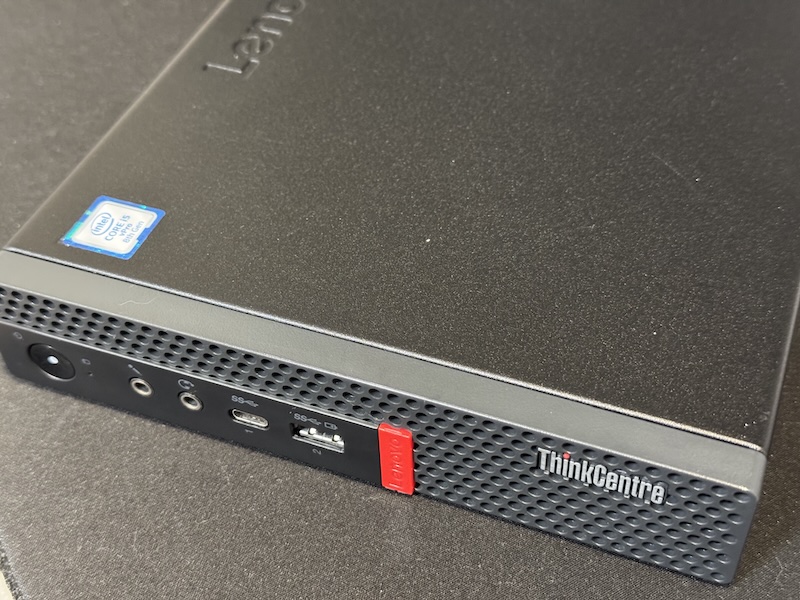
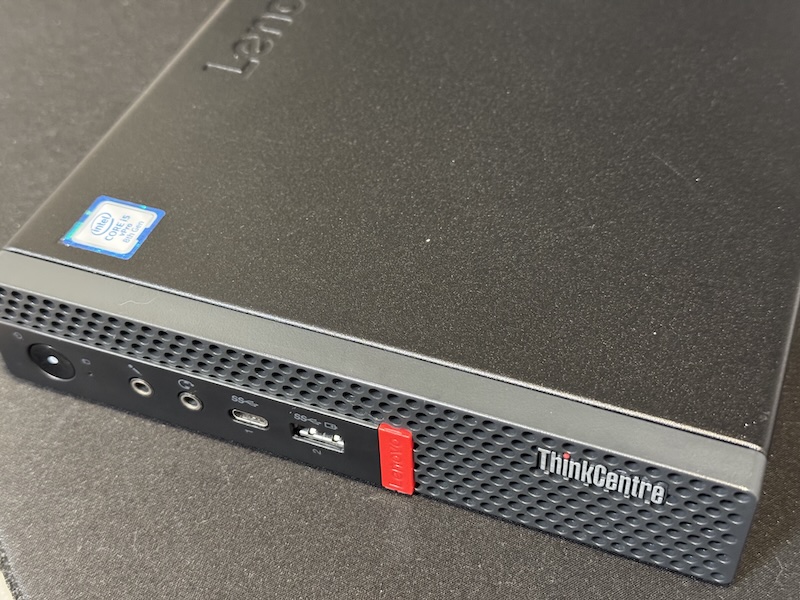
Lenovo M920q Tiny PCs require a PCI-E riser for plugging in your cards. This can easily be bought for about ¥2000~3000 online. There are different part numbers in terms of the supported bus speed so I had to ensure I got the one with P/N: 01AJ940 which supports x8.
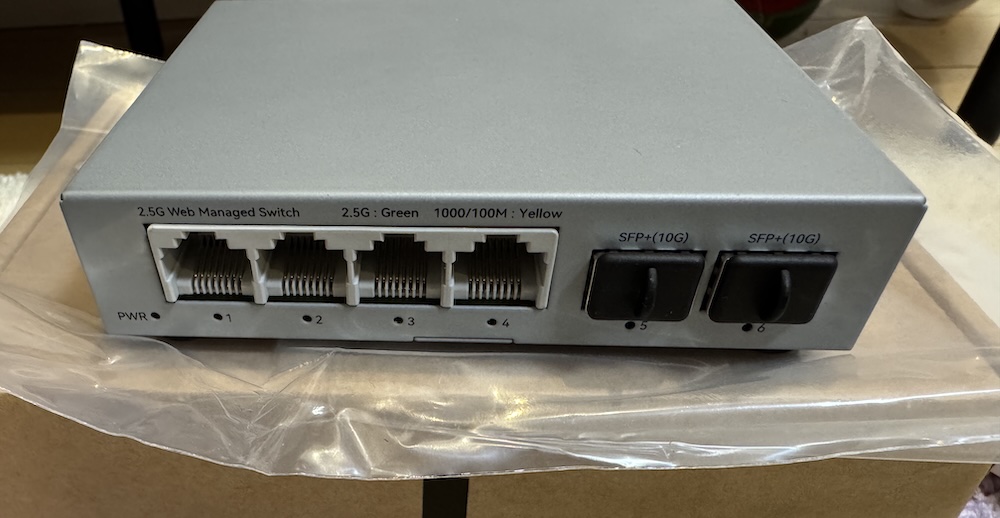
As for the 10G switch, for the time being I got a 4x2.5 + 2x10G switch from Horaco (AliExpress). I already have an 8x2.5G switch from the same brand and it’s been rock stable. There was no really good reason for me to try out another brand. If there was one thing where you have to manage your risk, it’s when purchasing networking equipment from AliExpress!
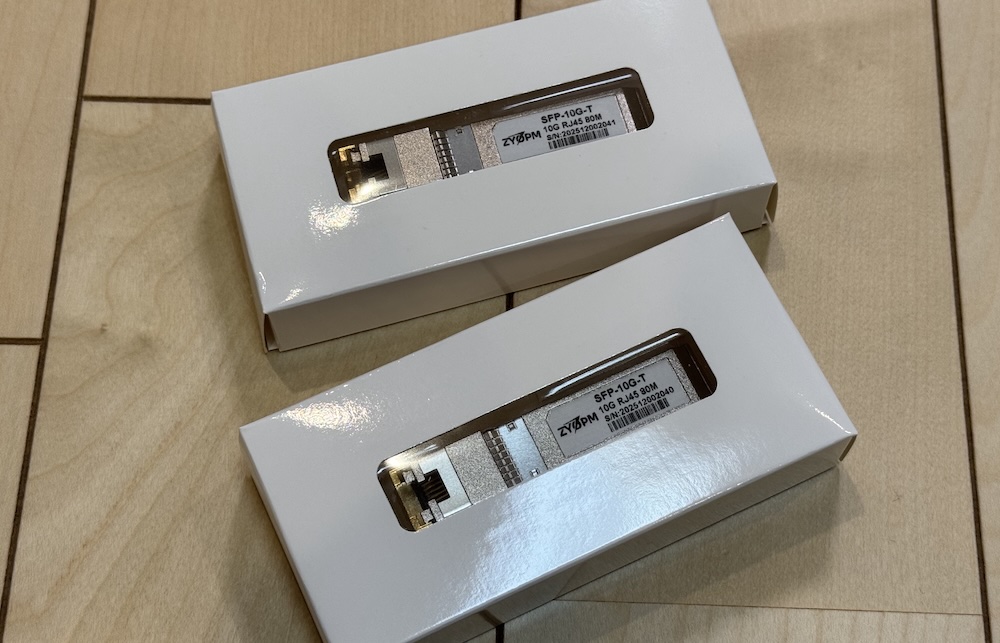
10G SFP+ to copper transceivers were known to run hot. And because I keep my networking equipment in an unventilated closest, I had to shed extra couple of bucks for the premium ones, the version that supports upto 80m of copper. For the transceivers, I got from a brand named ZYOPM.
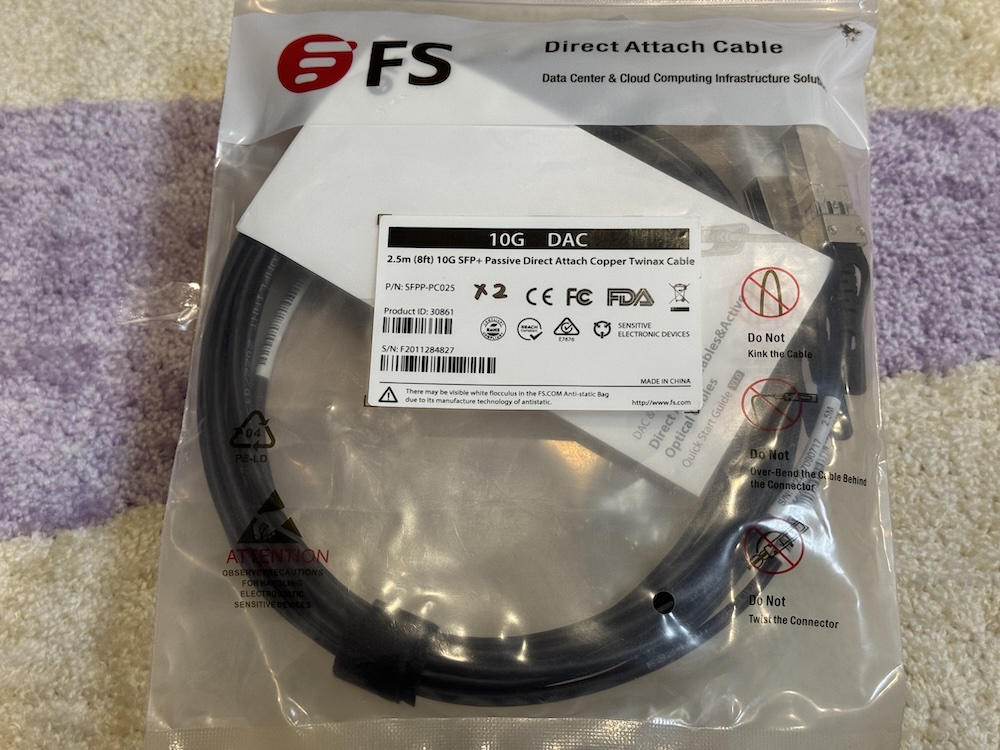
Managing the temperatured inside an enclosed space is a priority so I had to make sure the temps are the minimum whenever possible. For the upstream connection of my switch to the router, I used a DAC cable. I’ve never used one before and actually thought of using optical transceivers in the beginning.
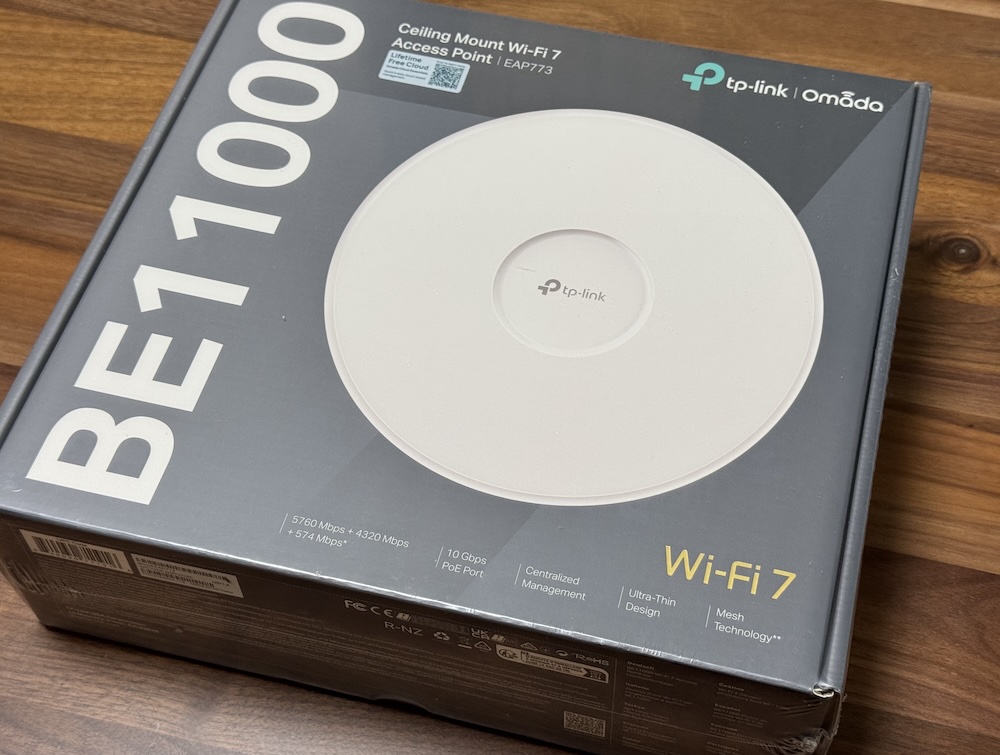
On to the Wireless AP, I also upgraded from my not so old TP-Link EAP610 to EAP773. The former only supported Wifi 6 over 2.4/5 Ghz bands wih 1G upstream. For “future-proofing”, at least for the next few years, and to make use of the upgraded upstream, I needed something which at least supported Wifi 6E over 6 Ghz.
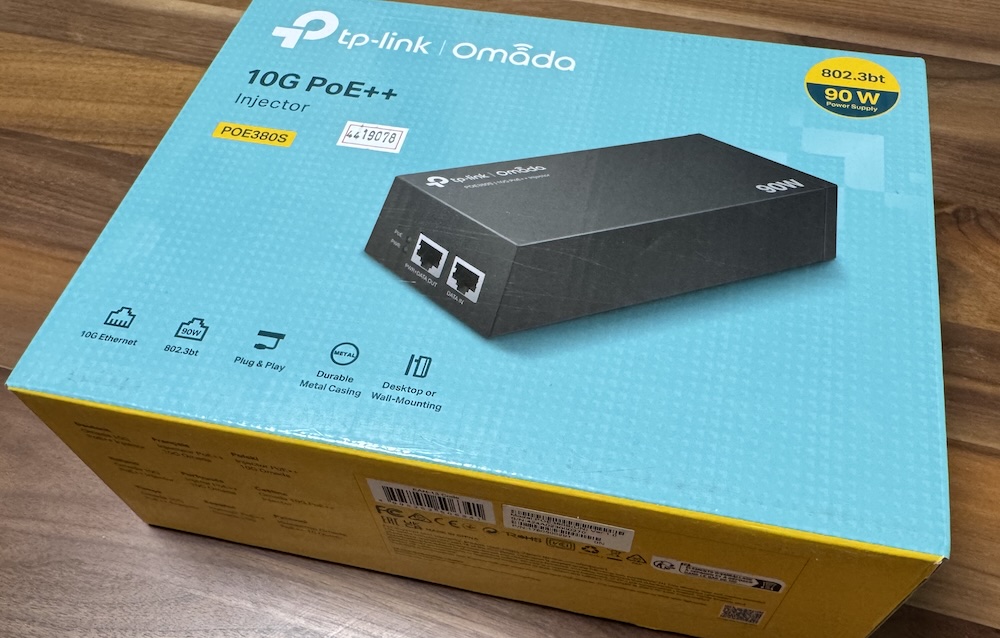
I also had to get a PoE++ 90W injector since the new switch didn’t support PoE+.
Software
There are mixed opinions whether you should virtualize your router or not. But if you live somewhere where space is a luxury, then you already have the best reason to go with virtualization. (but regardless of that I just really like complicating things lol). So of course we go back to our good old friend, Proxmox. The last time I had to spin up a new Proxmox machine was about 2 years ago when I started using CEPH as my default backend storage. A lot of good things must have been added within this 2 years, but I just really needed an easily-managed KVM host. No one can beat Proxmox on that.
As for the router itself, I made the big switch from OPNsense to OpenWRT. And I couldn’t be happier. I’ve had OPNsense for about 3 years now and while I didn’t really complain about anything since it was more of a set and forget set up, whenever I had to modify something in the configuration, sometimes it just felt like I had to explore and familiarize myself again. With OpenWRT the GUI just felt a bit more natural and warm to my eyes. Maybe it’s because of less sections or tabs to go through, or, I don’t know. configuration just seemed a little bmore straightforward this time compared to when I just started with the other.
But in fact, I don’t think I would have bothered checking out OpenWRT if only OPNsense supported MAP-E connections used by my new ISP. There is a way to get it working with OPNsense but it was more of a workaround than a natively supported feature.
My choice of ISP
The primary factor of choosing the ISP is the monthly cost. The switch to 10G wouldn’t be justifiable if we had to pay 50% more than our old subscription. Second would be the option to have a fixed IPv4 address since I host some services for family and friends. Fortunately I came across a post on Reddit suggesting (En Hikari)[https://enhikari.jp/]. En Hikari uses NTT FLET’S HIKARI as the backbone provider so you can be assured of the same quality of connectivity used by most ISPs. At the time of writing the monthly cost is about JPY 4917 (tax included) plus an additional JPY 770 for the optional fixed IPv4 address. That’s a total of JPY 5687 which comes out even cheaper than our current basic 1G supscription at JPY 5720 (dynamic IPv4 address only).
Preparations
When I got the card the Intel X710 card, it only had v6.01 installed. I didn’t find a way to upgrade directly from v6.01 to the latest one (v9.56 as of this writing), and had to go through it step-wise. The upgrade path in my case was from 6.01 –> 8.6 –> 9.0 –> 9.10 –> 9.56. All done under Debian (Proxmox).
My Intel card came with unlocked vendor support so I didn’t have to run the unlocker script. I guess this is only applicable to the OEM versions.
I was actually getting some error at first and it was preventing me from being able to use the other ethernet port. Honestly I just gave up on it one night, and I’m not sure how, but it got resolved the following morning after a restart.
After a few more rounds of restarts and going through of kernel dmesg logs, I finally decided to go with a fresh install of OpenWRT. For some reason I couldn’t figure out how to create the VLAN interfaces from the GUI. I ended up with a successful attempt when I tried to do it from the text file configuration. To those who are on the same boat, below is a sample /etc/config/network for configuring VLANs.
config interface 'loopback'
	option device 'lo'
	option proto 'static'
	option ipaddr '127.0.0.1'
	option netmask '255.0.0.0'

config globals 'globals'
	option ula_prefix 'fd00:7808:88c3::/48'
	option packet_steering '1'

config device
	option name 'br-lan'
	option type 'bridge'
	list ports 'eth0'

config interface 'lan'
	option device 'br-lan.1'
	option proto 'static'
	option ipaddr '192.168.0.1'
	option netmask '255.255.255.0'
	option ip6assign '64'
	list dns '192.168.0.1'
	option ip6hint '00'

config interface 'wan'
	option device 'eth1'
	option proto 'dhcp'
	option keepalive '5 10'

config interface 'wan6'
	option device 'eth1'
	option proto 'dhcpv6'
	option reqaddress 'try'
	option reqprefix 'auto'
	option norelease '1'

config bridge-vlan
	option device 'br-lan'
	option vlan '1'
	list ports 'eth0'

config bridge-vlan
	option device 'br-lan'
	option vlan '10'
	list ports 'eth0:t'

config bridge-vlan
	option device 'br-lan'
	option vlan '20'
	list ports 'eth0:t'

config interface 'vlan10'
	option proto 'static'
	option device 'br-lan.10'
	option ipaddr '192.168.10.1'
	option netmask '255.255.255.0'
	list dns '192.168.10.0.1'

config interface 'vlan20'
	option proto 'static'
	option device 'br-lan.20'
	option ipaddr '192.168.20.1'
	option netmask '255.255.255.0'
	list dns '192.168.20.0.1'
/etc/init.d/network restart to apply the config.
For now I just wanted a stable internet connection and didn’t even bother to think about having SR-IOV so it’s been decided to just make use of the existing Proxmox Linux bridges for both the WAN and LAN interface. Below is the final resource allocation for the VM.
<Proxmox resource snapshot here
En Hikari configuration on OpenWRT
References: https://note.com/arunya/n/n7d81e0de9db7 https://www.ficusonline.com/ja/posts/openwrt-v6-plus-map-e
I found these two article that provides the step by step instructions to get En Hikari working with v6 plus and the fixed IPv4. The initial steps to have the DHCPv6 working are on the first one. In my case I installed the required packages first:
- luci-proto-ipv6
- map
- ds-lite
- ip-full
As I know Hikari Cross utilizes MAP-E. I am not sure if ds-lite is really required but I just installed it anyway.
I created a new WAN interface and named it ‘wan6’ and set the protocol to DHCPv6 client. Under DHCP Server > IPv6 Settings, the RA-Service, DHCPv6 Service, and NDP Proxy, were all set to disabled. After a few seconds I got assigned an IPv6 /56 subnet.
For the clients to connect over IPv6, I had to enable IPv6 under Interfaces > LAN > Advanced Settings.
Under LAN > DHCP Server > IPv6 Settings, RA-Service, DHCPv6 Service, should be set to server and NDP Proxy to relay. Under IPv6 RA Settings, I made sure SLAAC was enabled. The rest set to default.
After applying the changes, my devices started having IPv6 address, majority by SLAAC, and very few ones through DHCPv6.
For the IPv4 configuration, I just followed the article. Though I am still sharing it here for personal reference later on:
<snapshot map-e 1 2 3 here>
Quick speed test
I don’t have any other equipment (yet lol) that supported 10G traffic so I spun up an LXC container on the same PVE hosting OpenWRT and ran a simple iPerf test from there. I selected one of JP servers from this list maintained by @R0GGER (Big thanks to him!).
The result:
< RESULT HERE >
What’s next
In addition to the benefits multi-gigabit upstream bring, having assigned an IPv6 subnet from my ISP will allow me to host multiple services from within my local network since the hosts will now have publicly routable addresses. That means a few things:
- No need to keep track and configure ports for port-forwarding to different VMs or containers.
- Multiple services can be hosted on the same port.
- I can create a DMZ network to completely expose hosts to the public internet.
- P2P connectivity can be established without the requirement of NAT-ing.
V4アドレス インターフェスID BRアドレス ユーサID パスワード
root@pve0:/opt/intel_x710_ethernet_fw/v9.56# ./bootutil64e

Intel(R) Ethernet Flash Firmware Utility
BootUtil version 1.43.28.0
Copyright (C) 2003-2025 Intel Corporation

Type BootUtil -? for help

Port Network Address    Location Series  WOL Flash Firmware             Version
==== ============ ============== ======= === ========================== =======
   1 F875A4317F7E 00000:000:31.6 Gigabit N/A FLASH Not Present
   2 3CFDFEE174B0 00000:001:00.0 40GbE   N/A UEFI,CLP,PXE Enabled       1.1.42
   3 3CFDFEE174B1 00000:001:00.1 40GbE   N/A UEFI,CLP,PXE Enabled       1.1.42
root@pve0:/opt/intel_x710_ethernet_fw/v9.56# ./bootutil64e -NIC=2 -up=combo

Intel(R) Ethernet Flash Firmware Utility
BootUtil version 1.43.28.0
Copyright (C) 2003-2025 Intel Corporation

Programming flash on port 2 with flash firmware image
Create restore image of NIC 2 before proceeding? (Y)es or (N)o: Y
Y

Saving flash firmware image on port 2 to file 1572400B.FLB...saved

Updating PXE+EFI removes PXE+iSCSI+EFI functionality.
Would you like to continue? (Y)es or (N)o: Y
Y
/
Flash update successful
Not pu
I still had few good reasons to make the switch. 1.
our old subscription still relied on the classic traditional method of PPPoE to connect to the internet.
I have no plan to dive deep into the adOur new subscription utilizes IPoE
References: https://gist.github.com/mietzen/736583d37a1d370273c0775aaaa57aa5
https://www.moduletek.com/en/application_notes/an_00115.html
https://github.com/bibigon812/xl710-unlocker/tree/master#
https://gist.github.com/subrezon/b9aa2014343f934fbf69e579ecfc8da8